Business Cards
Now order your business cards from our company store @ cps.conceptsusa.com
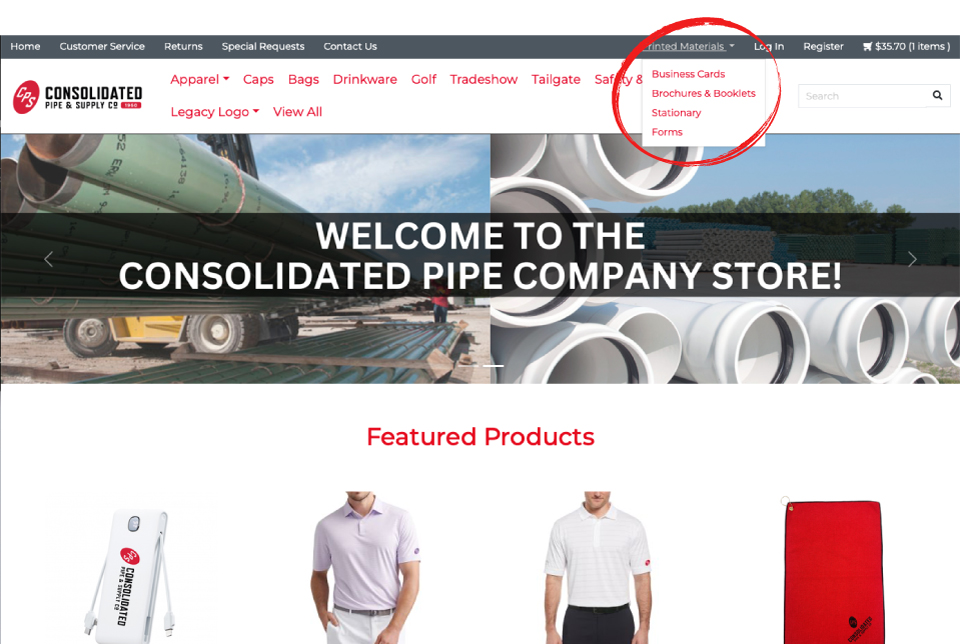
Navigate over to cps.conceptsusa.com and look for Printed Materials in the header menu.
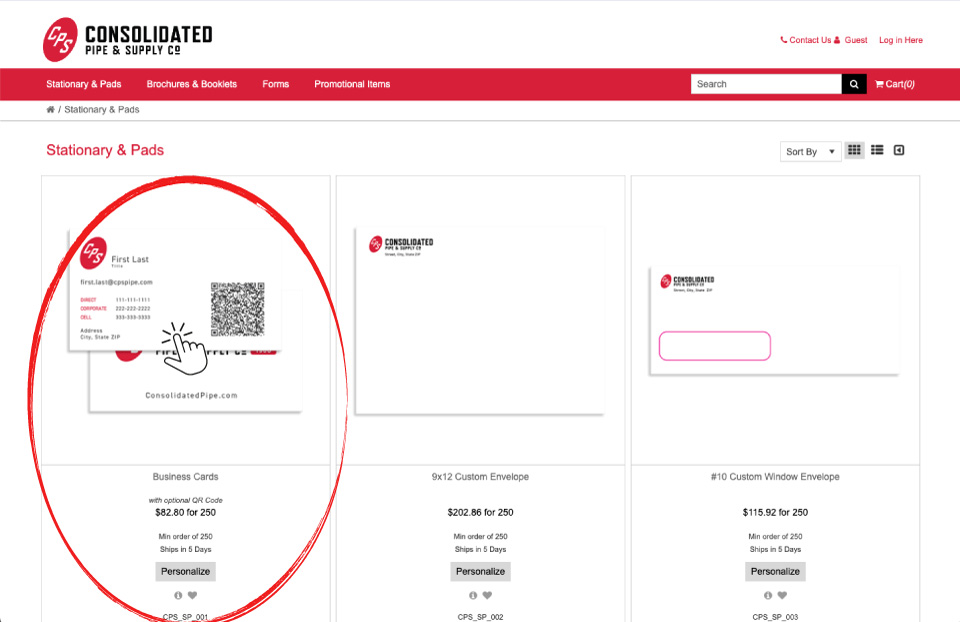
Clicking on this will take you to our new print portal where you can order print materials, including business cards, and have them shipped directly to you.
Please note: This is an entirely new print portal. First time users will have to register to use the portal and have it bill the appropriate branch. Because printing is now aligned with our general merchandise vendor, we are working to bring the two onto one platform so you will be able to order through one shopping cart, unfortunately until then, you will need a separate registration to submit print orders so they route directly to the printer for fulfillment. Thank you for bearing with us as we work to enhance the experience.
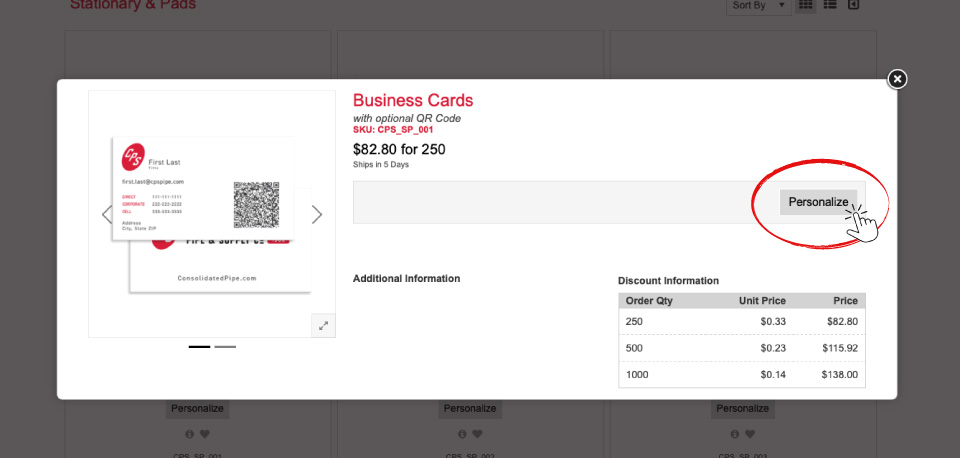
This will open a personalization tab where you see pricing and click the “PERSONALIZATION” link to set up your card with the appropriate information.
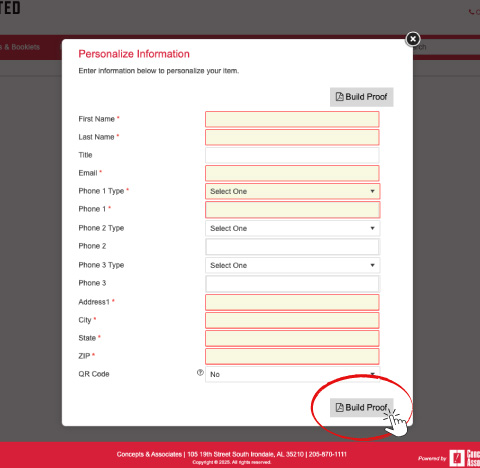
Fill out all information in the personalization panel being sure to check all spelling, phone numbers and addresses. Select if you want a QR code added to your card at the bottom and click “BUILD PROOF.”
Review the proof again checking all spelling, phone numbers and addresses. This is what will print on your card. You can download a PDF proof at this stage. Once you are good with everything, click “CONTINUE” to finalize the order process.
Your cards will be shipped to you in 5 business days. If you have any issues or need expedited services, please contact Brian Molina.